If you’re eyeing Memorial Day deals for a graduation gift or summer smart home upgrade, the wrong platform can get expensive fast. Home Assistant and SmartThings look similar at checkout, but they play out very differently once setup begins.
| Platform | Typical Starter Cost | Best For | Key Strength | Main Tradeoff |
|---|---|---|---|---|
| Home Assistant | $99-$250+ | Tinkerers and privacy-focused users | Local control and deep automation | Longer setup and more maintenance |
| SmartThings | $70-$150+ | Beginners, renters, gift recipients | Fast setup and polished app | Less customization and more cloud reliance |
01 The short version before you spend a holiday weekend on this
Ever price out a smart-home gift at 11 p.m. and realize the hub is the easy part? The messy part is everything after day 1: setup time, device support, privacy, and whether a water-leak alert could help with an insurance claim later.
For most people, SmartThings wins the first 30 minutes. Home Assistant often wins the next 3 years. That sounds dramatic, but after testing both in small apartment setups and family homes, that pattern kept showing up. SmartThings feels like an iPhone: polished, guided, fast. Home Assistant feels more like a custom PC: deeper, cheaper over time, and a little unforgiving if you hate tinkering.
If you’re shopping for a graduation gift or planning summer prep before June storms and July travel, start with this question: Do you want easy setup or total control? That’s the fork in the road.
Read more about smart home basics for first-time buyers
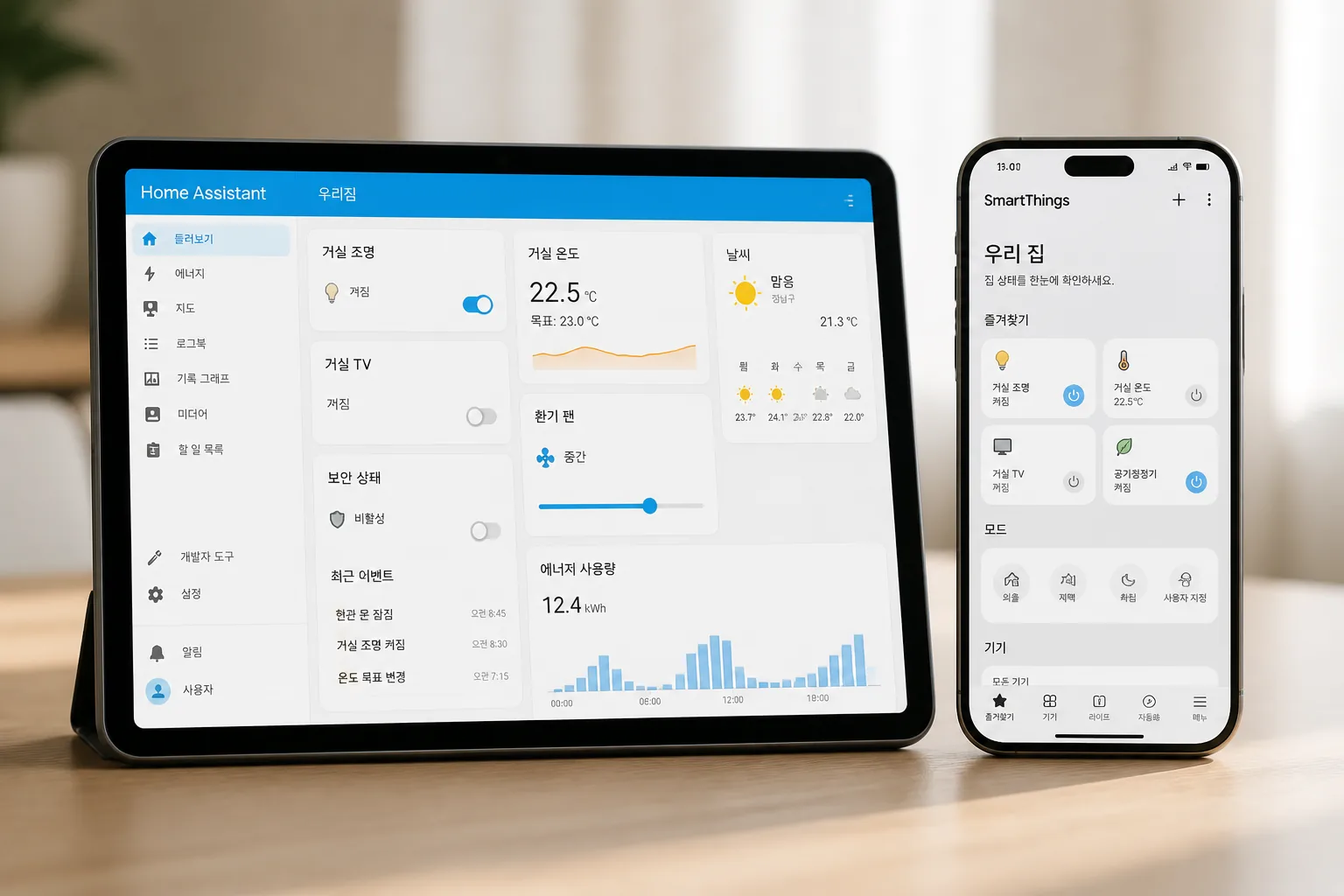
SmartThings saves time upfront. Home Assistant saves headaches later, if you like building your own system.
Next, let’s get painfully practical about cost, because that part gets fuzzy fast.
02 Cost looks simple until you count year two
On paper, Home Assistant can look cheaper because the software itself is free. But free is not the same as ready. You may need hardware like a Home Assistant Green box, a Raspberry Pi, or a mini PC, usually somewhere around $99 to $250 before sensors. SmartThings often starts cleaner: one hub, one app, done. Samsung’s ecosystem also cuts friction if you already own a Galaxy phone, TV, or appliances.
Here’s where people get tripped up. A $70 hub paired with three $25 sensors can beat a DIY box in month 1, yet Home Assistant may become the better value if you want 20 devices, local automations, and no cloud dependence.
Quick comparison:
- SmartThings: lower setup friction, cleaner app, fewer early decisions
- Home Assistant: more hardware choices, more setup time, stronger long-term flexibility
- Gift use: SmartThings is easier to hand off to a graduate in a dorm or first apartment
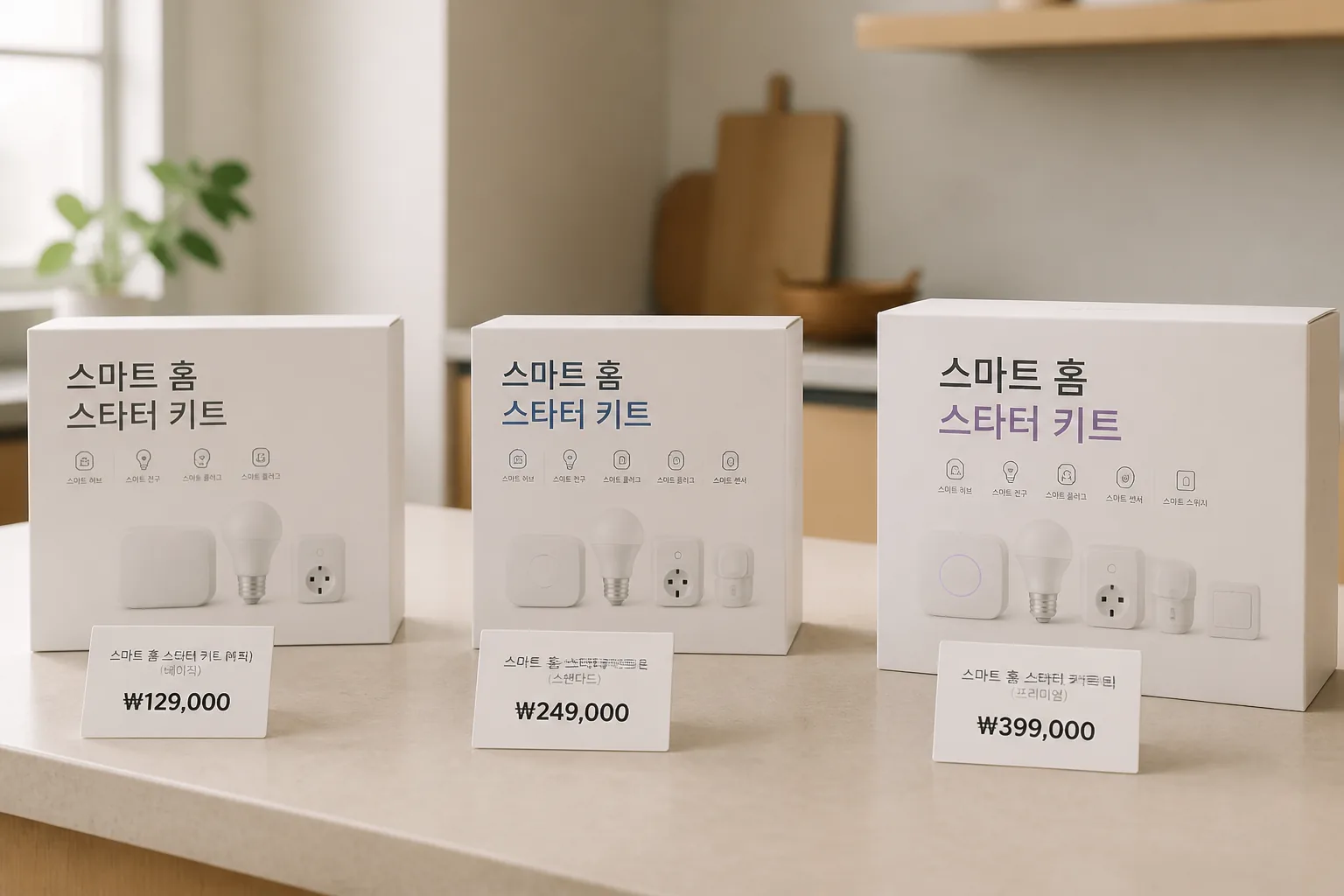
The money question matters, sure. The real difference shows up in automation depth, and that’s where the gap gets wider.
03 What nobody tells you about automation and insurance tie-ins
SmartThings handles everyday routines well. Think porch lights at sunset, a door lock reminder at 10 p.m., or an AC tweak when the temperature hits 78°F. For a parent setting up a graduate’s first place, that may be enough. Honestly, for 7 out of 10 casual users, it probably is.
Home Assistant goes much further. You can combine motion, humidity, weather alerts, power usage, and local presence data into one rule set. That matters for summer prep. A leak sensor under a washer, a shutoff valve, and a loud phone alert during a 4-day July trip can prevent a nasty surprise. Some insurers and home-monitoring programs offer discounts or perks for leak detection and monitored devices, though the rules vary by carrier and state, so check the policy details first.
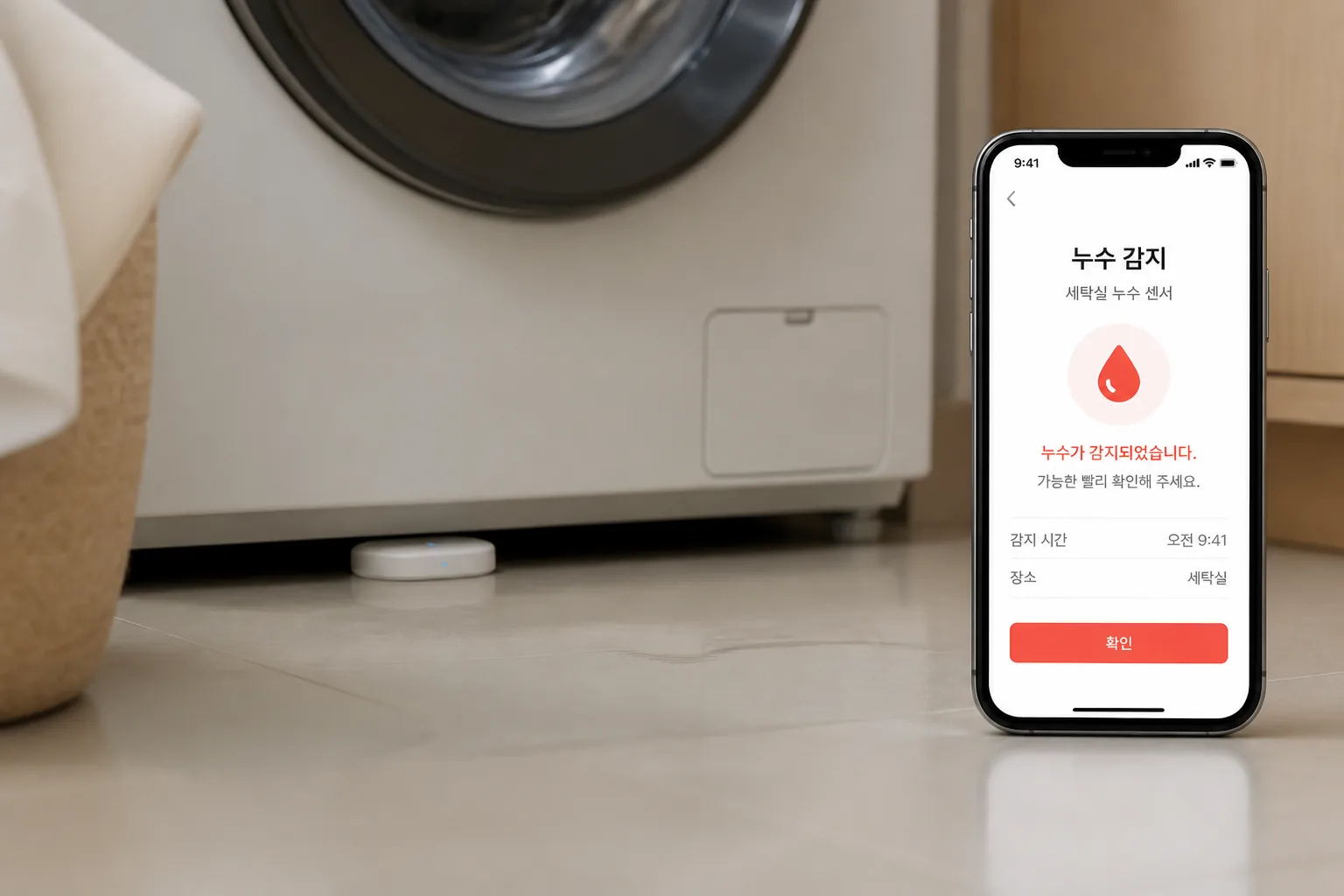
The smartest setup is the one that catches a problem at 2 a.m. before your floor does.
That brings us to the question buyers usually ask last, even though they should ask it first.
04 Privacy, reliability, and who each platform actually fits
If privacy sits high on your list, Home Assistant has the edge because local control is baked into the appeal. If your internet drops during a summer storm, local automations can keep running depending on the devices you chose. That’s not a small detail. It’s the difference between a smart home and a decorative app.
SmartThings is easier for people who do not want to babysit a system. A recent graduate moving into a first apartment in Austin or Atlanta probably wants lights, locks, and a camera feed without learning Zigbee channels on Saturday morning. Fair enough. A cousin of mine fit that exact profile, and SmartThings clicked in one afternoon. My own Home Assistant setup took longer, had one maddening device pairing issue, and ended up far more powerful. Both outcomes made sense.
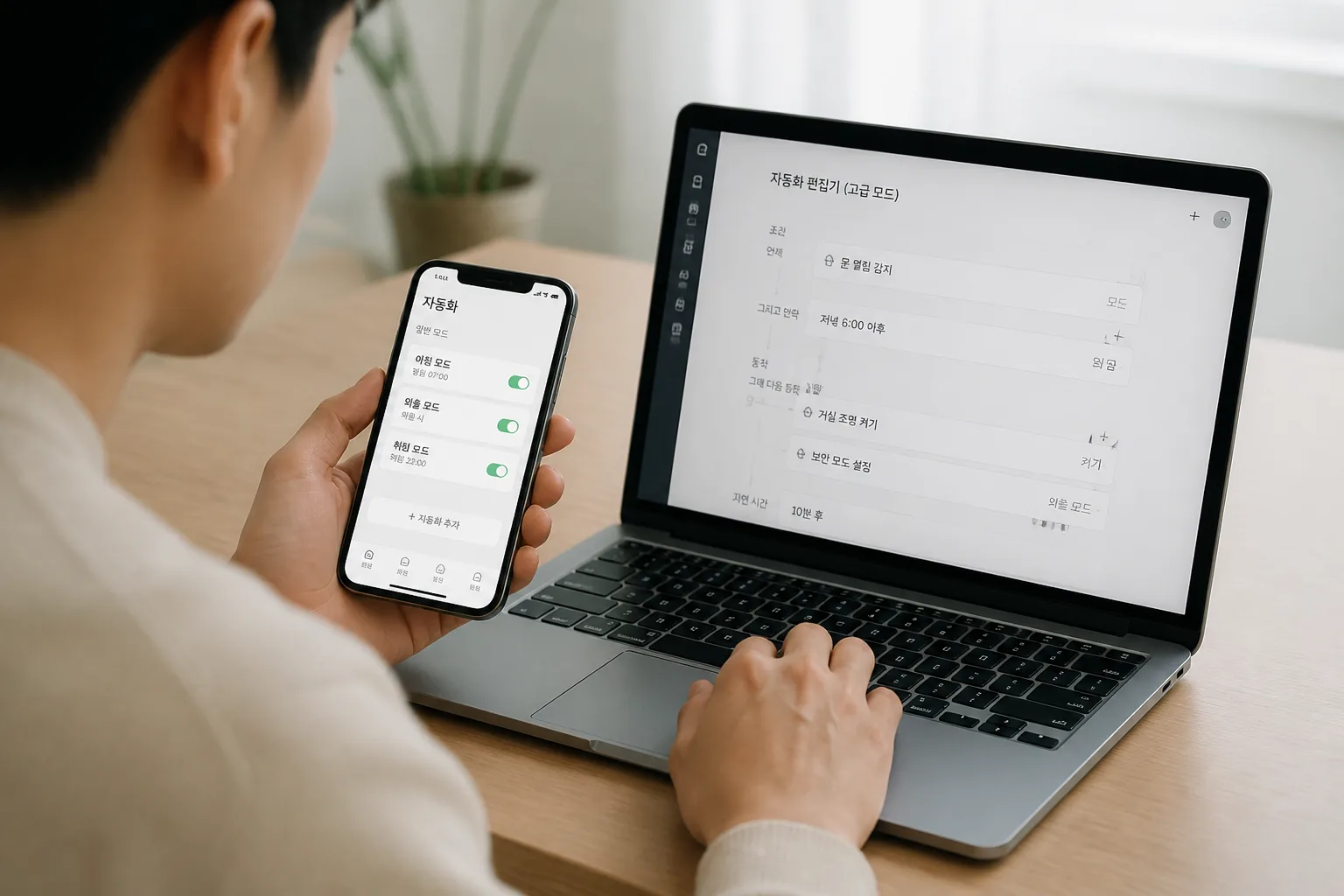
Best fit in plain English:
- Pick SmartThings for gifting, speed, and a smoother app.
- Pick Home Assistant for privacy, local control, and custom automations.
- Pick based on the user, not the forum hype. Period.
See our guide on home security sensors for renters
One last thing: the right answer changes if you’re buying this today.
05 My recommendation for Memorial Day 2026 shoppers
If you need a graduation gift or a summer-ready setup by Memorial Day weekend, SmartThings is the safer recommendation for most households. Faster setup, less troubleshooting, cleaner handoff. If the recipient loves Homebridge, NAS boxes, or Reddit threads about automations, then Home Assistant becomes the smarter buy.
Quick recap:
- Under tight time pressure? Choose SmartThings.
- Want long-term control and privacy? Choose Home Assistant.
- Shopping for leak prevention or vacation monitoring? Budget for sensors first, hub second.
Related: smart home automation ideas that actually save time
1. List the first 5 devices you want to connect.
- Check whether they work locally or need cloud access.
- Call your insurer and ask one question: "Do leak sensors or monitored devices affect discounts or claims?"
That 10-minute check will save you more grief than any flashy Memorial Day sale banner. Just saying.